Let your AI build
the heat balance diagram.
Connect Claude to the Toolmeyer heat balance tool. Then a sentence like “Build me a steam cycle with a bleed-steam feedwater heater and a cooling tower” is enough: the AI chooses the components, connects them, calculates the heat and pressure balance, reads the messages and corrects until everything adds up. At the end you get a link that opens the diagram in the tool.
How to connect Claude
You need a Toolmeyer account (free) and Claude with the option to add custom connectors (depending on your Claude plan). Other AI applications that support custom MCP connectors work on the same principle.
Add the connector
In Claude, open Settings and under Connectors add a custom connector. Name: Toolmeyer, URL:
https://toolmeyer.de/mcp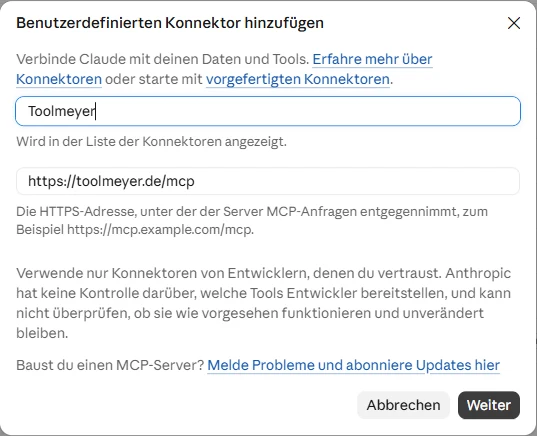
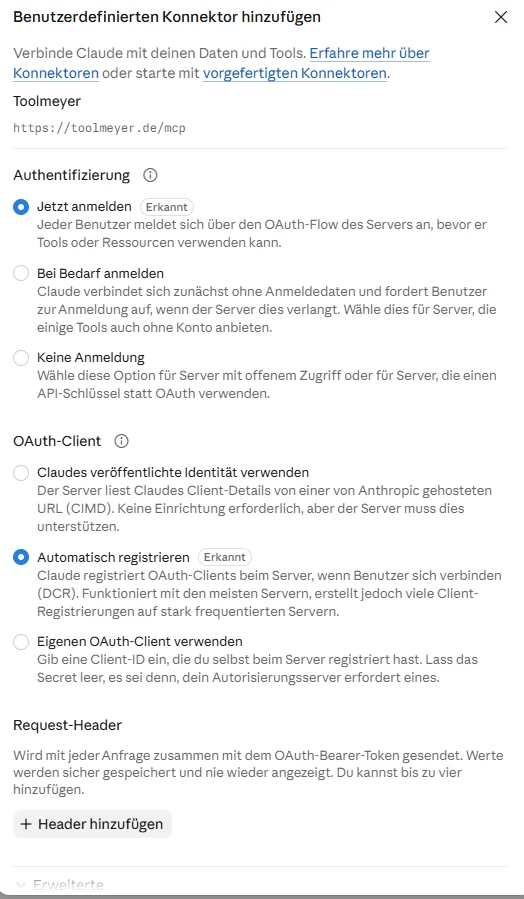
In the next window, under Authentication choose “Sign in now” and for the OAuth client choose “Register automatically”. Request headers are not needed.
Connect with your Toolmeyer account
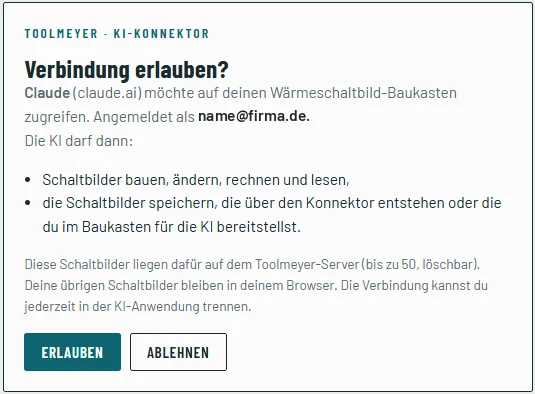
Click Connect. A Toolmeyer page opens: sign in (or create a free account) and click Allow. You are then taken back to Claude automatically.
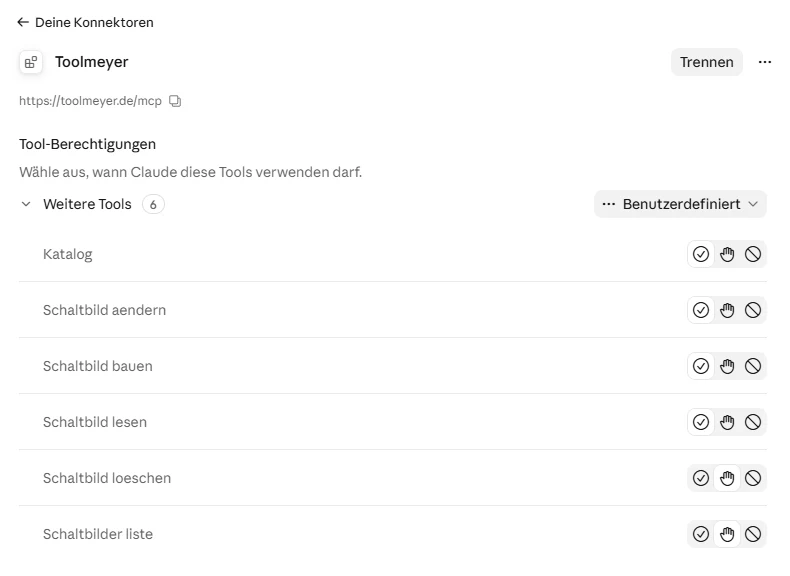
The connector settings then show the six tools. There you decide whether Claude may use them without asking.
Get started
Tell Claude in the chat what you need. For example:
“Use the Toolmeyer heat balance tool to build me a Rankine cycle with 40 bar, 450 °C and 10 t/h, condenser with cooling tower. Correct until there are no more errors and give me the link.”“Add a feedwater tank with bleed steam at 3 bar and show me how the efficiency changes.”“Create the load cases part load 60 % and 30 % and compare mass flows and outputs.”Open the link Claude gives you in the browser (signed in): the diagram appears as a new diagram in the tool. You make one of your own diagrams available to the AI in the tool via ✦ Build with AI → Make this diagram available.
Questions and answers
What can the AI do in the tool?
It knows all components with their connections and values, builds diagrams from them, changes values, inserts components into existing lines, creates load cases and reads the results per component (mass flow, pressure, temperature, enthalpy, outputs). The tool itself takes care of the layout and pipe routing.
How good are the results?
The calculation is the same as in the tool. But the AI can make mistakes in the structure or values, for example forget a pump or choose a wrong connection. The tool reports such errors, and the AI usually corrects them itself. Always check structure, inputs and results yourself anyway – as with any tool.
Where is my data stored?
Diagrams created via the connector or that you explicitly make available to the AI are stored on the Toolmeyer server (up to 50 per account, the oldest are overwritten, the AI deletes them on request). All other diagrams stay in your browser only, as before. What you write to the AI is processed by the AI provider under its own terms. Details in the privacy policy.
What does it cost?
During the beta, the connector is free for all Toolmeyer accounts. For Claude you need a plan that allows custom connectors.
Are there any limitations?
The large heat pump (refrigerants via CoolProp) does not yet calculate via the connector. Up to 400 calls per hour are possible. You can disconnect at any time in the connector settings of the AI application.
Does it work without the connector?
Yes: in the tool under File → Build or change from a description … you copy the catalogue into any AI chat, have it write a description and paste it back. This is more cumbersome but needs no account.
Feedback on the AI connector helps us a lot: what worked well, where did the AI get stuck? To the feedback page